
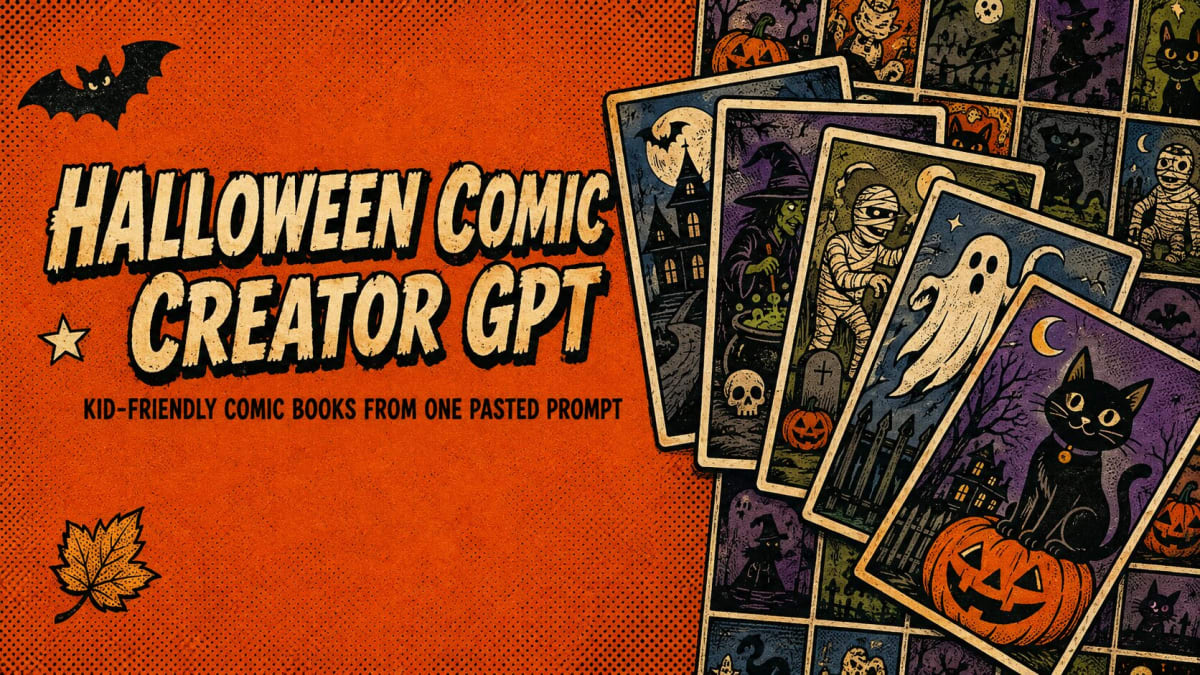
Welcome to our Halloween Comic Creator GPT Review, In case you have landed here means you know a thing or two about the process of creating eBooks using the ai prompts.
Halloween is near by and people will be busy in preparation for the costumes and celebrations. But what if i say you can prepare the comic books related to halloween theme and sell it during the festival for only $17. BINGO 🔥.
Yes, you heard it right. I know if you ever tried of creating any ebooks for children using AI prompts, you would have probably faced problems like getting one nice looking character image and to maintain the character consistency throughtout the ebook.
Now a days everyone can create the ebook using AI, but the real challenge is keeping the story, characters, page layout, dialogue, and visual style consistent from beginning to end.
That is where i feel Halloween Comic Creator GPT make things easier.
Instead of you starting with a blank ChatGPT conversation and trying to figure out what prompts to write, the halloween comic creator gpt has a large library of ready-made prompts specifically designed for creating kid-friendly Halloween comics.
But is it actually worth paying for? Let’s findout.
I have bought it to test and check what is included, how the prompts work and what you actually get for the $17 price.
Here is my honest take.
Product Overview
| Product Type | AI Prompt Library |
| Best For | KDP publishers, Etsy sellers, parents, teachers & digital creators |
| Main Purpose | Create children’s Halloween comics with GPT |
| Prompts Included | 412 |
| Price | $17 one-time |
| Comic Length | 24–32 pages |
| Refund Policy | No Refund as product will be delivered Instantly. |
| Rating | ⭐⭐⭐⭐ |

Table of Contents
What Is Halloween Comic Creator GPT?
Halloween Comic Creator GPT is a ready-made prompt library for creating children’s Halloween comic books with ChatGPT.
It includes a 412 copy-and-paste readymade prompts covering 32 topics, along with these there are additional tools and guides to help you take an idea from the initial story concept through the comic creation and publishing process.
The interesting part is that these aren’t just simple prompts such as:
“Write me a Halloween story.”
Each prompt is designed to give ChatGPT a much more complete production brief.
A single prompt can generate things such as:
- Comic book title and subtitle
- Recommended age range
- Story outline
- Character design information
- Character consistency tags
- Visual style instructions
- Page structure
- Dialogue
- Captions
- Sound effects
- Cover prompt
- Individual page image prompts
- Product description
- SEO keywords
- Back-cover copy
So instead of building everything yourself, you’re starting with a fairly complete framework
Halloween Comic Creator GPT Review: How Does it Work?
The basic idea is actually quite simple.
You choose a topic and a particular style or angle from the library, copy the prompt, and paste it into ChatGPT.
The prompt then gives ChatGPT instructions for developing the comic.
Each book is structured for approximately 24–32 pages, with the prompts including image-generation instructions for the cover and individual pages.
Below is the workflow:
Step 1: Choose a topic
You can select from different Halloween themes such as:
- Friendly monsters
- Little ghosts
- Witches
- Black cats
- Magic
- Pumpkins
- Trick-or-treating
- Halloween animals
- Not-so-haunted places
You will get 30 story topics with 13 different angles for each topic.
Step 2: Copy the prompt
You don’t have to write the entire prompt yourself.
Simply copy the one you want from the library.
Step 3: Paste it into ChatGPT
ChatGPT then works through the instructions and creates the story blueprint.
You can use the resulting prompts to generate the cover and individual comic pages.
Step 4: Review and assemble the pages
This is an important part.
Halloween Comic Creator GPT doesn’t magically hand you a finished, ready-to-publish comic book.
You still need to generate the pages, check the results, fix anything that looks wrong, and assemble everything into a final PDF or book file. The product itself makes this clear.
What Makes Halloween Comic Creator GPT Different?
There are plenty of free AI prompts available online.
So why would someone pay $17 for another prompt library?
I think the biggest advantage here is organization.
The prompts are designed around the complete comic-making process rather than just generating a story.
For example, the system pays particular attention to something that can be a major problem with AI-generated comics:
Character Consistency
Imagine your main character is a little ghost.
On page one, the ghost looks cute and round.
On page five, it suddenly has a different face.
On page ten, the shape and clothing have changed again.
That can make the finished comic look very inconsistent.
The product tries to address this through what it calls Consistency Tags.
A character is first given a more detailed design description, and that consistency information is then repeated in the page prompts where the character appears.
That doesn’t mean AI will produce a perfect character every single time.
You’ll still need to check the generated pages.
But having a structured system is certainly better than simply telling ChatGPT “keep the character the same” and hoping for the best.

One Useful Feature: Dialogue Is Included in the Page Prompts
This is another feature I found interesting.
The prompts don’t only describe what should appear in the image.
The page prompts also include the dialogue, captions and sound effects that should appear on the page.
That can save quite a bit of work.
Normally, you might generate the artwork first and then have to figure out:
- Where should the speech bubbles go?
- What should the characters say?
- What captions should appear?
- Which sound effects fit the scene?
Here, those elements are planned as part of the prompt itself.
Of course, AI-generated lettering can still contain mistakes, so you should always inspect the final images before publishing.
What Do You Get With Halloween Comic Creator GPT?
The main package includes quite a lot for a $17 product.
412 prompts
The library contains 412 ready-to-use prompts covering 32 topics.
The product breaks these down into:
390 story prompts
These come from 30 topics multiplied by 13 different angles.
The angles include things such as:
- Read-aloud stories
- Early readers
- Stories for older children
- Kindness
- Courage
- Counting
- Rhyming
- Bedtime
- Coloring editions
- Mystery
- Family
- Classroom
- Series starters
That gives you more flexibility than simply generating the same type of Halloween story repeatedly.
22 Studio Tools
There are also 22 additional tools.
These are divided into two groups.
Fix & Polish tools can help with things like:
- Character consistency
- Fixing a problematic page
- Shortening dialogue
- Cleaning up panels
- Adjusting page count
- Changing the age level
- Reducing the spooky elements
Then there are Sell & Publish tools for things such as:
- Creating title ideas
- Improving keywords
- Writing product descriptions
- Creating back-cover text
- Creating a series name
- Adding sequel ideas
- Preparing front and back matter
- Creating a publishing checklist
- Writing a launch email
- Creating a bundle description
- Planning a four-week launch
That’s a useful addition because creating the comic is only one part of publishing a children’s book.
The 3 Included Guides
The product also includes three guides.
Publishing Best Practices
This covers things such as book formats, cover sizing, file specifications and a pre-publishing checklist.
Character Consistency Cheat Sheet
This focuses on keeping characters consistent and troubleshooting common AI problems such as:
- Changing faces
- Style changes
- Incorrect lettering
- Speech bubbles covering faces
Desktop Agent Guide
This is intended to help users work through multiple pages more efficiently instead of manually handling everything one page at a time.
What Format Do You Receive?
You don’t need to install special software.
The product is delivered as two files:
- A self-contained web page containing the prompt library, search functionality, copy buttons and guides.
- A spreadsheet containing the same 412 prompts along with their categories and style angles
The product says these can also be used offline after downloading.
Can You Actually Sell the Comics You Create?
Yes.
The product states that you can commercially use the comics you create with the prompts and sell them through platforms such as:
- Amazon KDP
- Etsy
- Gumroad
- Payhip
- Other marketplaces
The creator does not claim royalties on the books you make.
However, there is an important distinction here.
You can sell the content you create. You cannot resell the prompt library itself.
The licence specifically prohibits redistributing, sharing, repackaging or selling the prompts as your own product.
Do You Need a Paid ChatGPT Account?
No.
A free ChatGPT account is enough to use the prompts.
However, if you’re creating an entire 24–32 page comic with images, you may run into usage limits more quickly on a free account. A paid plan may simply make the workflow more convenient if you’re generating a lot of images.
So I wouldn’t interpret “works with a free account” as “you can create unlimited comics for free.”
You are still using ChatGPT’s available usage limits.
Do You Need Drawing or Design Skills?
Not really.
That’s one of the main reasons someone might find this product useful.
You aren’t expected to draw the characters yourself.
The prompts provide the story structure and image-generation instructions, while ChatGPT handles the AI generation.
You will still need some basic computer skills to put the pages together.
The creator suggests tools such as Canva, Kindle Create, Affinity or even Microsoft Word for assembling the final book.
What I Like About Halloween Comic Creator GPT
| What I Like | What I Don’t |
| Large collection of ready-to-use prompts | It isn’t a completely automated comic generator |
| Beginner-friendly approach | You still need to generate and review the images |
| Doesn’t require complicated software | AI-generated artwork can still contain mistakes |
| Character consistency is addressed | Some editing and formatting work is required |
| Includes publishing-related tools | There is no refund as the product will be delivered instantly. |
| Commercial-use rights are included |
Halloween Comic Creator GPT Pricing
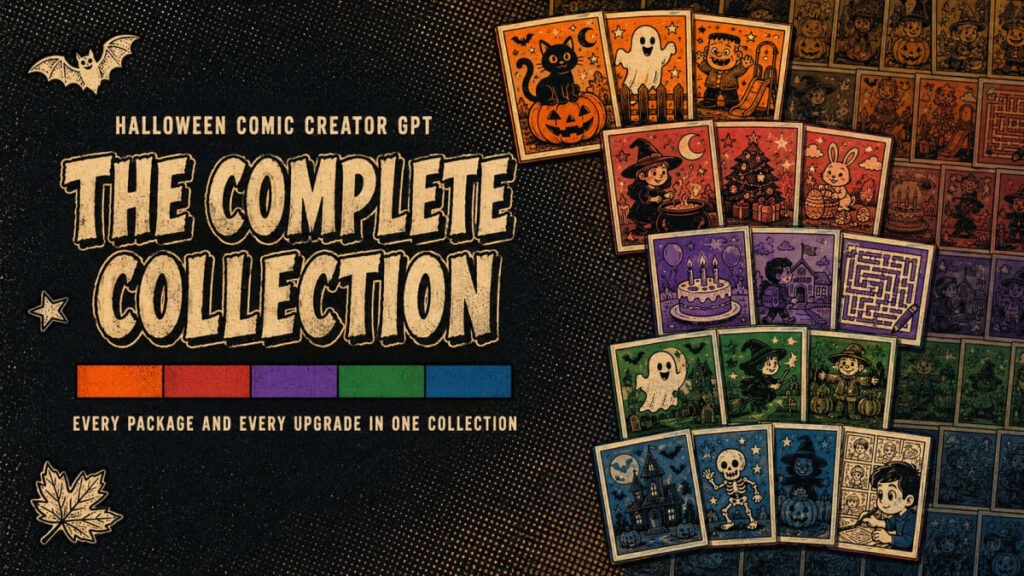
The front-end product is currently offered at:
| Product | What You Get | Price |
| Halloween Comic Creator GPT | 412 prompts, 32 topics, 22 Studio Tools, 3 guides | $17 one-time |
| Complete Collection | 6,166 prompts across 250 topics | $137 |
The Complete Collection includes the Halloween library plus additional expansion libraries covering more topics, art styles, holidays and coloring/activity books.
For someone who only wants to experiment with Halloween comics, I don’t think you need to jump straight to the $137 package.
The $17 version is designed to work on its own.
Who Is Halloween Comic Creator GPT Best For?
I think this product makes the most sense for people who already have an interest in creating digital products or children’s books.
It could be useful for:
KDP publishers who want to experiment with seasonal children’s books.
Etsy sellers who want printable Halloween comics or related digital products.
Gumroad and Payhip sellers who want another type of digital product to sell.
Parents and teachers who simply want to create a fun personalized Halloween comic.
It’s probably less useful if you have no interest in making comics, children’s books or digital products.
Is Halloween Comic Creator GPT Worth It?
For $17, I think the product offers a reasonable amount of material.
You’re getting hundreds of prompts, additional editing and publishing tools, plus three guides. More importantly, the prompts are organized around an actual workflow rather than being a random collection of AI instructions.
The biggest value isn’t really the number 412.
It’s the fact that the prompts are designed to help you move from:
Idea → Story → Characters → Pages → Artwork → Listing → Publishing
without having to design that entire process yourself.
But I wouldn’t buy it expecting a completely finished comic book at the push of a button.
You’ll still need to generate the images, review them carefully, fix mistakes and assemble the final book.
And just because you create a good-looking Halloween comic doesn’t automatically mean it will sell. The product itself also makes it clear that it doesn’t guarantee sales, rankings or income.
Final Verdict
Halloween Comic Creator GPT is a practical prompt library rather than a standalone comic-making software.
If you’re interested in creating children’s Halloween comics with ChatGPT but don’t want to spend hours developing your own prompts and workflow, the $17 price makes it an inexpensive way to get started.
I particularly like the focus on character consistency, page-by-page prompts and the publishing tools, because those are areas that can take a lot of time when you’re doing everything manually.
The biggest thing to remember is that AI still needs supervision.
You should review every page, check the text and artwork, make corrections where necessary, and make sure your final product follows the rules of whichever marketplace you use.
So, if you’re looking for a shortcut to the prompting and planning side of creating Halloween comics, I’d say it’s worth considering.
If you’re expecting a finished, professionally edited comic book without doing any additional work, however, this isn’t that kind of product.
Overall: A useful $17 starting point for creators who want to experiment with AI-generated Halloween comics without building the whole workflow from scratch.